
When “Busy” Isn’t the Same as “Working”
There’s a moment most maintenance leaders recognize.
Usually late in the day.
You’re looking at the backlog. The board. The system—whatever version of a system exists.
And it hits you:
The team is working hard… but the operation isn’t getting ahead.
Work orders are moving—but not the right ones.
Something urgent just knocked out what was planned. Again.
And somewhere, a technician is walking back across the facility because the part they needed… wasn’t where it was supposed to be.
That’s not a people problem.
That’s a system that’s starting to break under its own weight.
Facilities management software—done right—is what brings that system back under control. For example, unplanned downtime can cost industrial organizations thousands per hour. What is the cost for your organization.
What is Facilities Management Software?
Facilities management software is a centralized system that helps organizations manage maintenance, assets, and operations through automated workflows and real-time data.
Understanding the Role of Management Software in Maintenance
At a certain point, maintenance stops being about fixing things and starts being about managing complexity.
More assets. More requests. More dependencies.
More ways for things to slip through the cracks.
Without a centralized system, most operations default to a mix of spreadsheets, emails, memory, and “just go take care of it.” It works—until it doesn’t.
And when it doesn’t, the signs are predictable:
- Delays that don’t have a clear cause
- Rework that shouldn’t exist
- The same assets showing up over and over again
Management software, specifically a Computerized Maintenance Management System (CMMS), changes that by creating a single, structured environment where everything lives and updates in real time.
Not perfectly. Not magically. But consistently.
And consistency is what most teams are missing.
What the Right CMMS Actually Delivers
When a CMMS is implemented well, you start to notice something subtle at first.
Things stop slipping.
Not because people suddenly work harder—but because the system is finally doing its part.
Here’s what that looks like in practice:
- Centralized Work Order Management
- Every request is captured, assigned, and tracked
- No more “I thought someone else handled that”
- Real-Time Asset Visibility
- You can see what’s failing, what’s aging, and what keeps coming back
- Patterns become obvious—sometimes uncomfortably obvious
- Preventive & Predictive Maintenance
- Work gets scheduled before breakdowns force your hand
- Fewer surprises. Not zero—but fewer
- Integrated Inventory Management
- Parts are where they’re supposed to be—or you know they’re not
- That alone saves hours every week
- Mobile & Cloud Access
- Technicians don’t need to come back just to update status
- Information moves with the work
- Data That Actually Helps You Decide
- Not just reports—but insight you can act on
- You start fixing causes, not just symptoms
It’s not that everything becomes easy. It’s that things become visible and manageable.
And that changes how decisions get made.
How Management Software Enhances Efficiency
Most teams think they have an efficiency problem.
They don’t.
They have a friction problem.
Small delays. Small gaps. Small miscommunications.
Individually, they don’t seem like much. Together, they slow everything down.
A technician waits 10 minutes for access.
Another spends 15 minutes confirming what should already be known.
A supervisor reshuffles the schedule—again—because something unexpected came up.
That’s hours. Every day.
Where Efficiency Actually Improves
Most teams don’t realize how much time is lost in the gaps between the work—searching for information, chasing approvals, waiting on updates, or duplicating effort. That’s where inefficiency quietly drains productivity.
A well-implemented CMMS doesn’t reduce the work itself—it clears the friction surrounding it, tightening the process so your team can move faster, with fewer interruptions and far less waste.
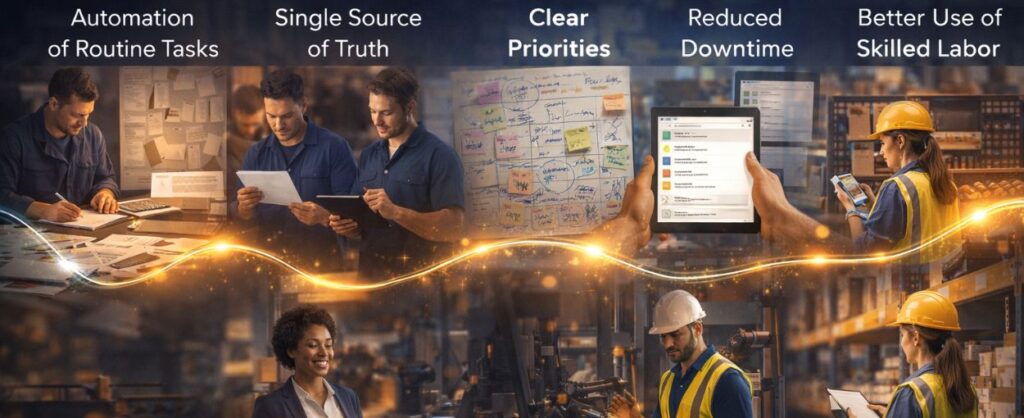
A CMMS doesn’t eliminate work—it removes the unnecessary parts around it:
- Automation of Routine Tasks
- Scheduling, tracking, and reporting happen without constant input
- Less admin. Fewer dropped details
- A True Single Source of Truth
- Everyone sees the same information
- No second-guessing which version is correct
- Clear Priority Structure
- Critical issues surface immediately
- Not everything feels urgent anymore
- Reduced Downtime
- Issues are caught earlier
- Some still slip through—but fewer, and less costly
- Better Use of Skilled Labor
- Technicians spend more time fixing, less time searching
- Which is what you’re actually paying them for
Efficiency doesn’t spike overnight. It stabilizes. Then improves.
And once it stabilizes, you can finally build on it.
Work Order Management: Where Most Systems Quietly Fail
If something feels off in a maintenance operation, it almost always traces back here.
Work orders.
Not because they’re complicated—but because they’re inconsistent.
One request gets logged properly. Another gets mentioned in passing.
Something urgent gets handled immediately—but never documented.
And a week later, no one is completely sure what actually happened.
That’s where control starts to erode.
What Effective Work Order Management Looks Like
You don’t lose control all at once—it slips, quietly, through missed details, delayed responses, and work orders that start to pile up faster than they’re resolved. What separates high-performing facilities teams from those constantly playing catch-up isn’t effort—it’s structure.
Effective work order management creates clarity at every level: what needs to be done, who owns it, when it gets done, and how it’s tracked. Instead of reacting to the loudest problem, teams operate with intention—prioritizing correctly, executing efficiently, and capturing the data that prevents repeat issues. It’s not just about closing tickets.
When work order management is working, not backlogged, you feel it:
- Every Request Is Captured
- Not just the big ones—all of them
- Priorities Are Clear
- Urgent vs important isn’t up for debate
- Workflows Are Consistent
- The process doesn’t change depending on who’s handling it
- Real-Time Visibility Exists
- You know what’s open, what’s stuck, and what’s done
- Response Times Improve
- Work moves instead of sitting
- Ownership Is Clear
- No gray areas about who’s responsible
It’s not perfect. But it’s predictable. It’s about building a system where nothing critical gets lost, delayed, or overlooked—and where control isn’t something you chase, but something you maintain.
And predictability is what allows everything else to improve.
Why Integration Changes Everything
A work order system on its own helps. But at some point, you realize the problem isn’t the tools—it’s the disconnect between them. A standalone work order system can organize tasks, but it still leaves your team bridging gaps manually, chasing information, and reacting to surprises.
Integration changes the behavior of the entire operation. It connects the moving parts so decisions happen faster, handoffs are smoother, and what’s happening in one area is instantly visible in another. This is where operations stop feeling fragmented—and start running like a coordinated system instead of a collection of separate efforts.
Facilities management software creates an integrated system changes how the operation behaves.
- Work Orders Connect to Inventory
- No more starting a job only to realize something’s missing
- Scheduling Reflects Reality
- Not what was planned yesterday
- Data Flows Across Teams
- Fewer surprises, fewer disconnects
- Everything Is Trackable End-to-End
- From request to resolution
- Less Manual Coordination
- Which means fewer errors
This is where most operations feel the biggest shift. Because this is where the friction starts disappearing.
Asset Management Optimization
Assets don’t usually fail all at once.
They degrade. Quietly. Repeatedly.
And if you’re not tracking that pattern, you end up fixing the same issue over and over—just in slightly different forms.
That’s expensive. And frustrating.
Management software changes asset management from reactive tracking into something closer to pattern recognition.
How High-Performing Teams Handle Assets
Most teams think they’re managing assets—but they’re really just documenting breakdowns after the fact. High-performing teams operate differently. They treat every asset as a living system with a story, using data not just to record what happened, but to anticipate what’s coming next. That shift—from reactive tracking to forward-looking insight—is where reliability, cost control, and true operational confidence begin.
They don’t just track what happened—they look for what’s about to happen:
- Full Lifecycle Visibility
- From install to replacement
- Pattern Detection
- Recurring issues don’t stay hidden
- Maintenance Based on Reality
- Not assumptions or outdated schedules
- Fewer Surprise Failures
- Not zero—but fewer, and more predictable
- Longer Asset Lifespan
- Because issues are addressed earlier
They don’t just track what happened—they look for what’s about to happen:
- Full Lifecycle Visibility
- From install to replacement
- Pattern Detection
- Recurring issues don’t stay hidden
- Maintenance Based on Reality
- Not assumptions or outdated schedules
- Fewer Surprise Failures
- Not zero—but fewer, and more predictable
- Longer Asset Lifespan
- Because issues are addressed earlier
They don’t just track what happened—they look for what’s about to happen:
- Full Lifecycle Visibility
- From install to replacement
- Pattern Detection
- Recurring issues don’t stay hidden
- Maintenance Based on Reality
- Not assumptions or outdated schedules
- Fewer Surprise Failures
- Not zero—but fewer, and more predictable
- Longer Asset Lifespan
- Because issues are addressed earlier
When you can see the full picture, problems don’t get the chance to grow unnoticed.
And over time, that’s what separates constant repair from controlled, predictable performance.
How Data Turns Into Real Decisions
This is where things shift from operational to strategic.
With the right data:
- You can see which assets are costing you the most
- You can justify replacements before failure
- You can forecast instead of react
- You can actually explain why decisions are being made
And that last part matters more than most people realize. Because clarity builds confidence—across the entire team.
Choosing the Right Facilities Management Software
Not all systems are built the same—and the difference shows up fast once your team is actually using them.
- Some platforms look polished in demos but create friction in day-to-day operations.
- Others lock essential functionality behind upgrades or become so complex that adoption quietly stalls.
- Some technically “work”… but never get fully adopted.
That’s where solutions like Four Winds CMMS stand apart—built around real-world operations, with all-inclusive functionality and human onboarding from the start.
Choosing the right facilities management software isn’t about what impresses in a presentation—it’s about what your team will actually use, consistently, without resistance.
What to Look For (If You Want It to Work Long-Term)
- All-Inclusive Functionality
- No hidden features behind upgrades
- Seamless Integration
- Works with what you already have
- Real-Time Visibility
- Not delayed reporting
- Automation Where It Matters
- Without overcomplicating workflows
- Strong Asset + Inventory Tracking
- Because that’s where most inefficiencies live
- Predictive Capability
- So you’re not always reacting

What Actually Changes After Implementation
Not everything changes at once.
But certain things do:
- Fewer delays that “shouldn’t have happened”
- Faster response times
- Less time spent coordinating basic tasks
- More confidence in what’s happening across the operation
And eventually:
Less stress.
Because the system is no longer working against the team.
Closing: The Shift Most Teams Are Trying to Make
Most maintenance teams don’t need better people.
They need a system that supports the people they already have.
Right now, in most operations:
- Work is happening
- Effort is high
- But control is inconsistent
And that gap—between effort and outcome—is where frustration lives.
What Changes When the System Finally Supports the Work
When the right CMMS is in place:
- Backlogs stop growing uncontrollably
- Priorities stop shifting every hour
- Teams stop reacting to everything at once
- Leadership finally sees what’s actually happening
Not perfectly.
But clearly.
And clarity changes how everything else operates.
Why Four Winds CMMS Feels Different
Most platforms give you access to software.
Four Winds gives you a system that’s ready to work:
- No locked features
- No forced upgrades
- No piecing things together
And importantly:
You’re not left alone to figure it out.
There’s real onboarding. Real support.
So the system gets adopted—not ignored.
See How This Would Actually Work for You
You don’t need another polished demo.
You need to see how your operation fits into a system like this.
👉 Schedule a live walkthrough of Four Winds CMMS
We’ll walk through:
- How your current workflow would translate
- Where inefficiencies are costing time and money
- What implementation would actually look like for your team
Even if you’re just evaluating options—it’s a useful exercise.
Final Thought
If your backlog keeps growing…
If your team is constantly reacting…
If the same issues keep resurfacing…
It’s not a people problem.
It’s a system problem.
And systems can be fixed.
Resources
International Facilities Management Association (IFMA)
ISO Standards – Global Standards for Trusted Goods and Services
About the Founders of Four Winds CMMS
FAQs
What is facilities management software?
Facilities management software is a centralized platform that helps organizations manage maintenance operations, assets, work orders, and resources in one system. It improves efficiency by replacing manual processes with automated workflows and real-time data visibility.
What is the difference between CMMS and facilities management software?
A CMMS (Computerized Maintenance Management System) is a core component of facilities management software. While CMMS focuses specifically on maintenance tasks, work orders, and asset tracking, facilities management software may also include broader capabilities like space management, energy tracking, and compliance management.
How does facilities management software improve efficiency?
Facilities management software improves efficiency by:
– Automating routine maintenance tasks
– Centralizing work order tracking
– Providing real-time visibility into operations
– Reducing downtime through preventive maintenance
– Improving communication across teams
This reduces wasted time and allows teams to focus on execution rather than coordination.
What are the key features of facilities management software?
Most high-performing systems include:
– Work order management
– Asset tracking and lifecycle management
– Preventive and predictive maintenance
– Inventory management
– Reporting and analytics
– Mobile access for field teams
These features work together to create a more controlled and predictable maintenance operation.
How do I choose the best facilities management software?
The best facilities management software should:
– Offer all-inclusive functionality without hidden upgrades
– Integrate with your existing systems
– Provide real-time visibility and reporting
– Be easy for your team to adopt
– Include onboarding and support
The goal is not just software—it’s a system your team will actually use.
What industries benefit from CMMS software?
CMMS software is used across industries including:
– Manufacturing
– Facilities Management
– Healthcare
– Municipalities
– Property management
– Hospitality
– Education
– Warehousing and logistics
– Mining
Any operation that manages physical assets can benefit from improved maintenance systems.
Can facilities management software reduce maintenance costs?
Yes. By improving scheduling, reducing downtime, and preventing equipment failures, facilities management software helps reduce emergency repairs, extend asset lifespan, and optimize resource allocation—leading to significant cost savings over time.
Is cloud-based CMMS better than on-premise systems?
In most cases, yes. Cloud-based CMMS platforms offer:
– Remote access from any device
– Real-time updates
– Lower upfront costs
– Easier scalability
This makes them more flexible and easier to implement compared to traditional on-premise systems.